
Setting up AI tools steals your time. We give it back.
Most people lose days to tutorials, errors, and dead-end configs. VibeClode collapses that into 5 minutes, so you spend your time building, not setting up.
Without Us
- Hours of confusing YouTube tutorials
- Scary error messages you can’t understand
- Settings files that make no sense
- Features you don’t know how to turn on
- Tools that need other tools to work
- Getting stuck and having nobody to ask
- Not knowing if you set it up right
- Giving up and going back to doing things the old way
With VibeClode
- Paste one command and everything installs itself
- Every feature turned on and ready to use
- Your AI assistant set up exactly the right way
- A starter project so you can jump right in
- All the best tools pre-connected
- A getting started guide to walk you through everything
- Automatic checks to make sure everything works
- Start creating with AI in minutes, not days
The whole setup, start to finish
A real install, captured live. This is everything you do.
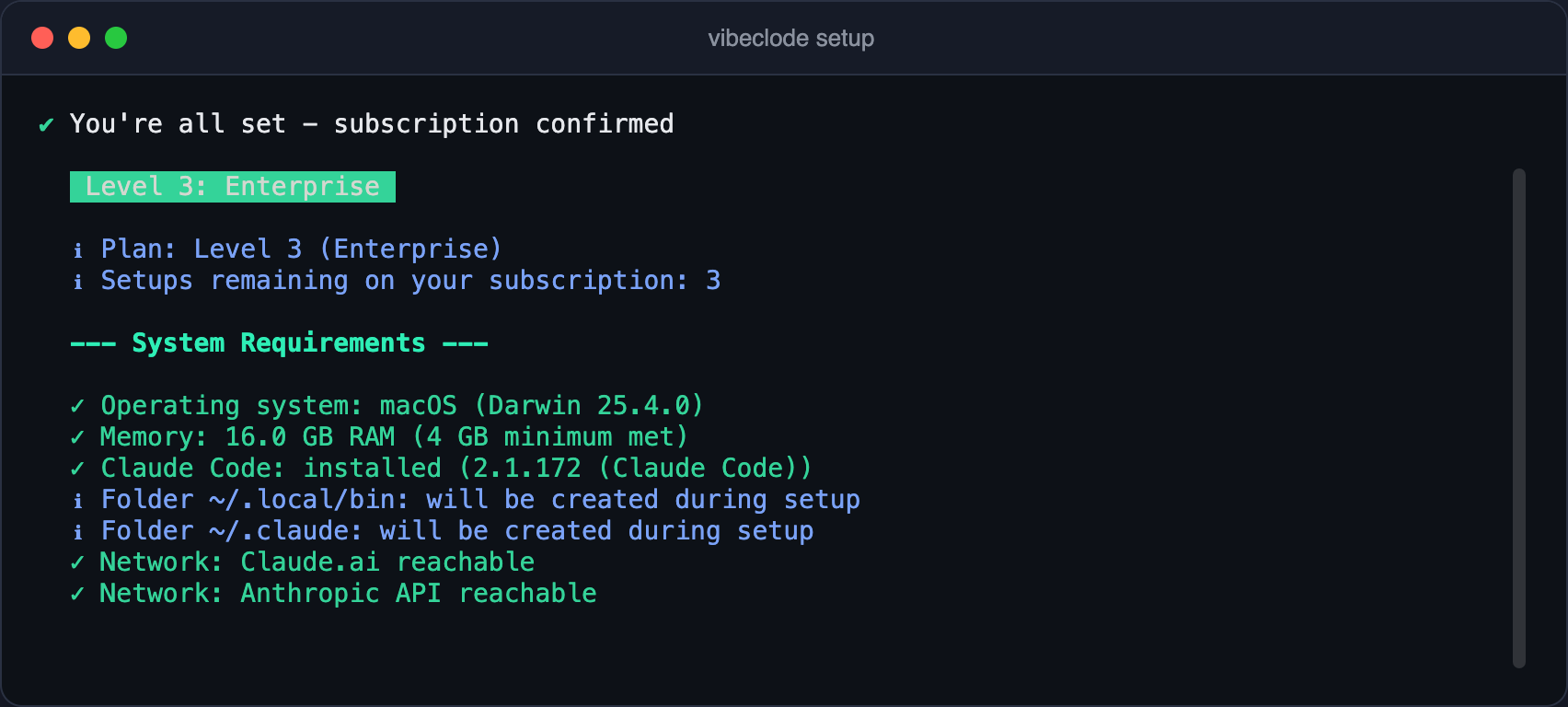
It checks your computer
One command. VibeClode makes sure your Mac or PC is ready. Takes seconds.
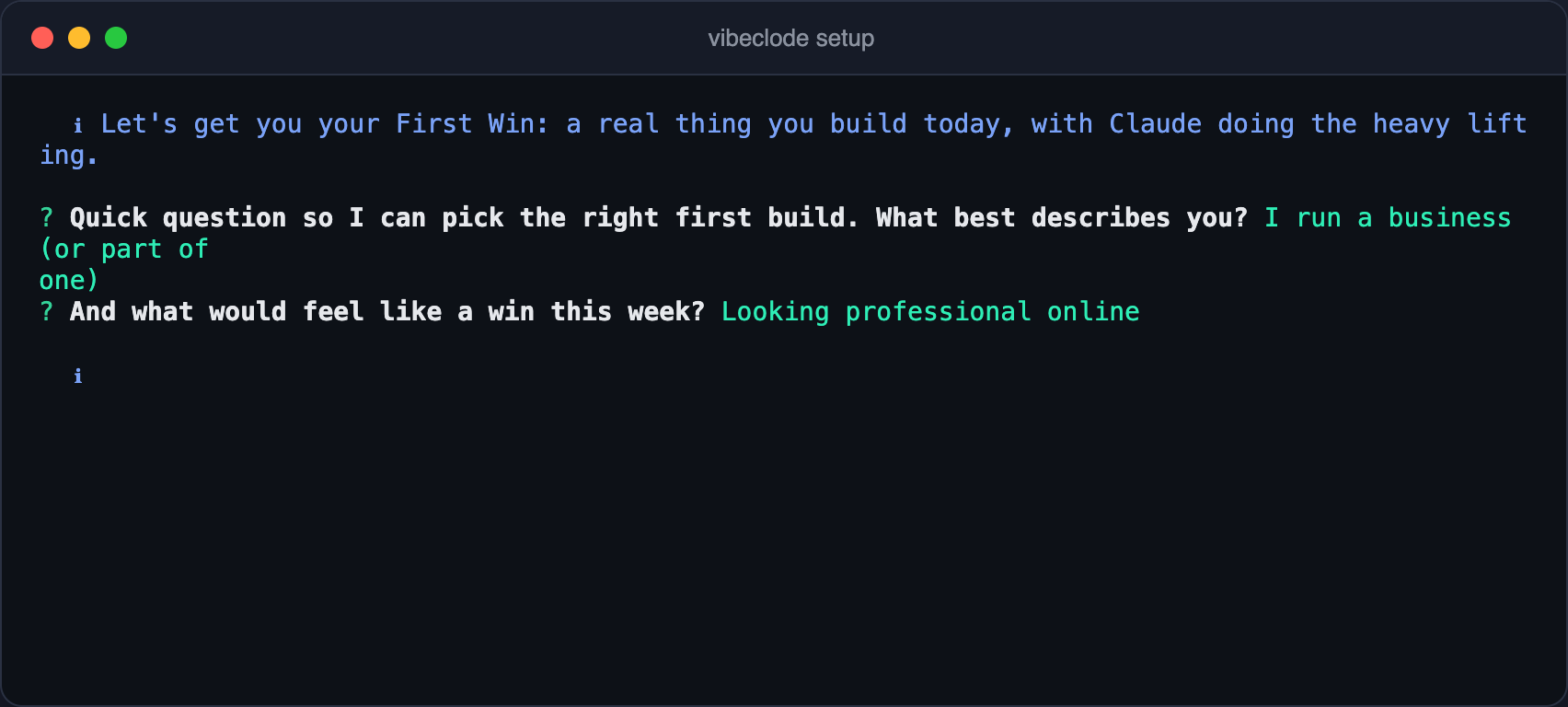
It asks two questions
Who you are and what a win looks like this week. That is the whole interview.
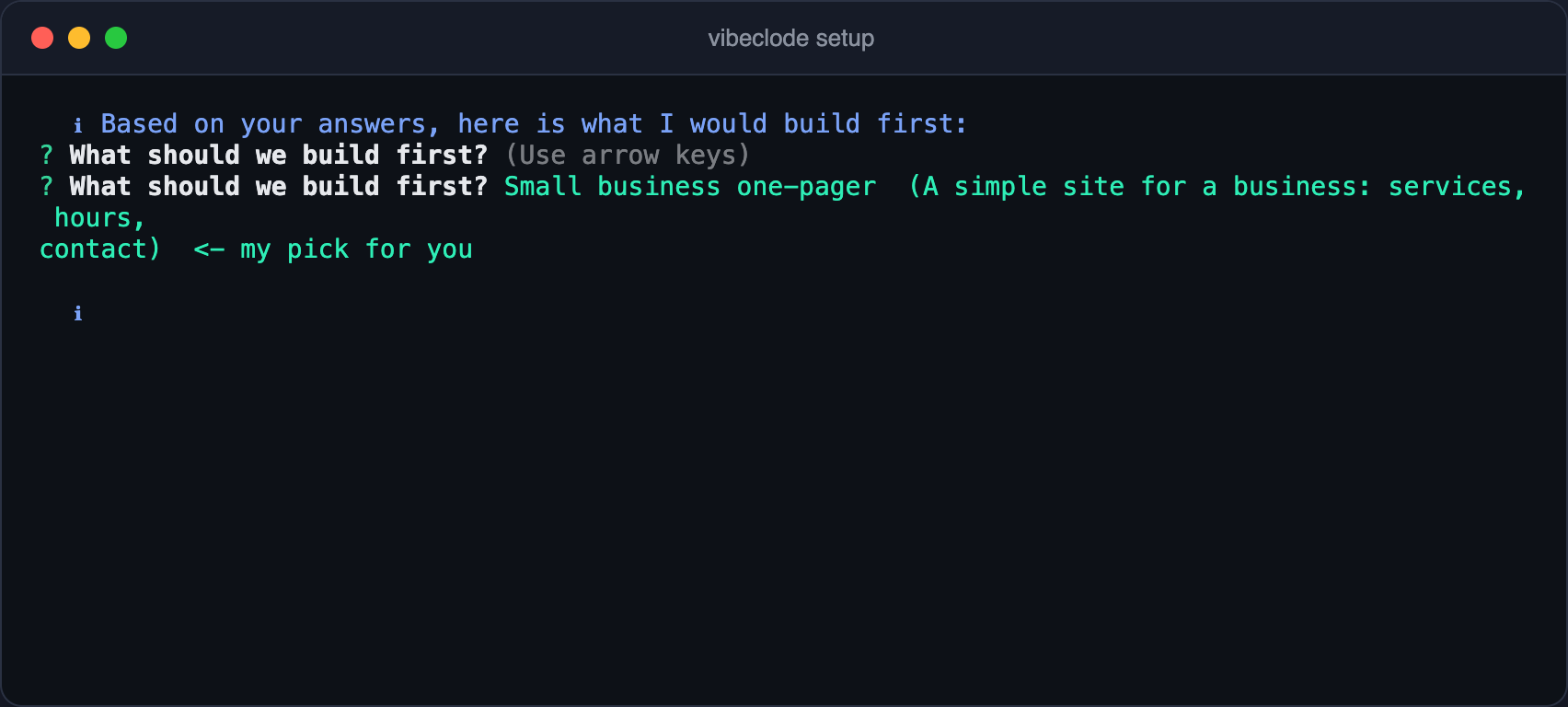
It picks your first build
Based on your answers it recommends what to build first. You just say yes.
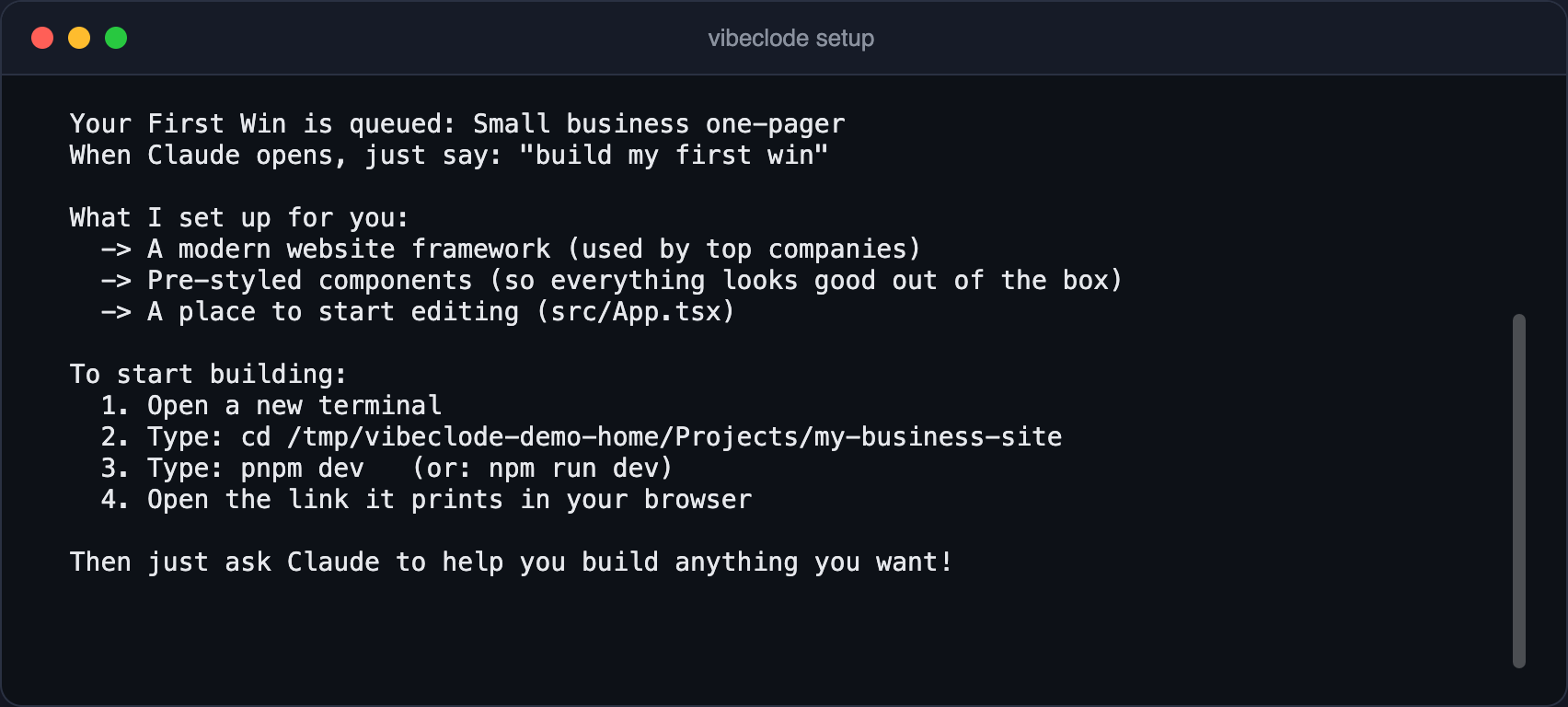
It sets everything up
Tools, skills, templates, your first project folder. Claude does the heavy lifting.
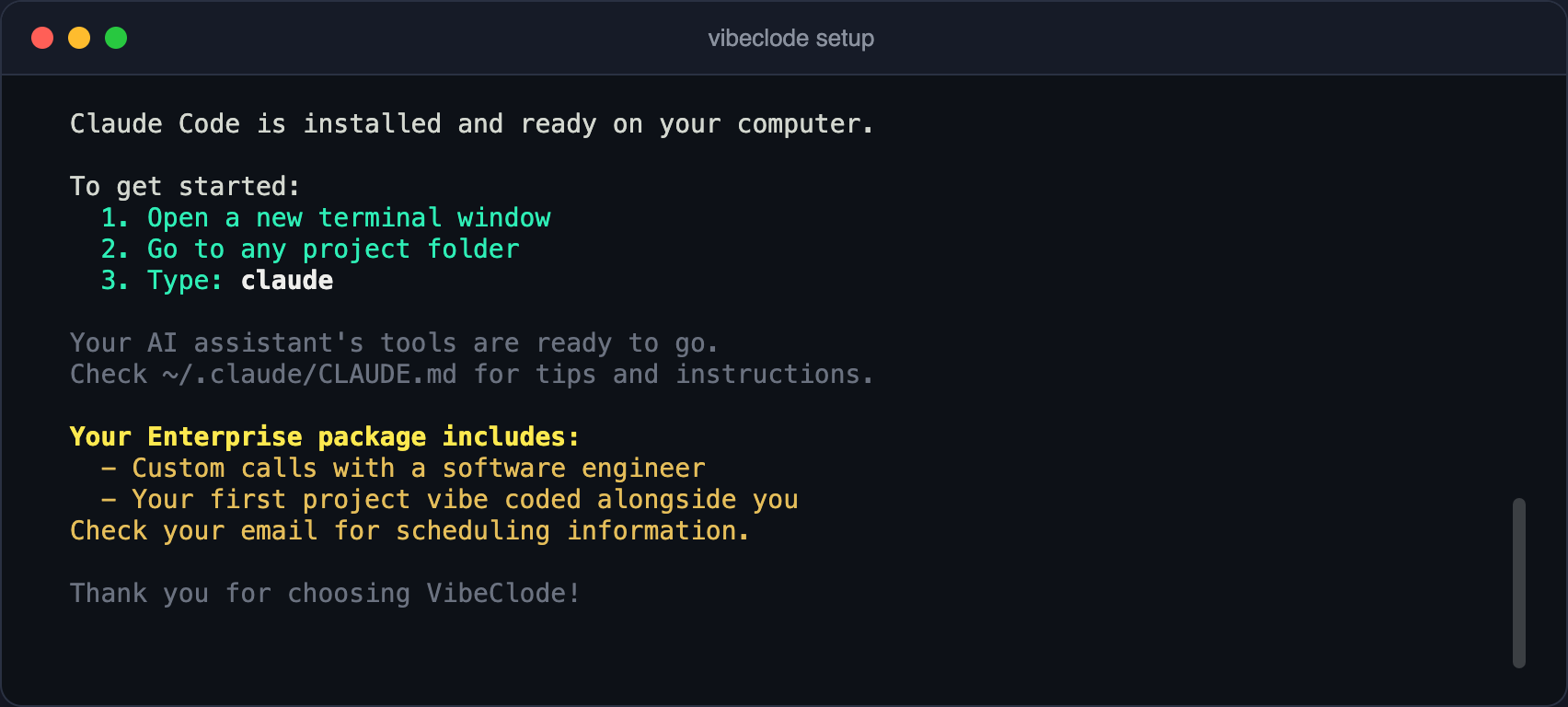
You start building
Open the terminal, type claude, and your first win gets built in front of you.
Up and running in 4 simple steps
From purchase to productive in minutes, not hours.
1. Choose Your Plan
Pick the setup level that fits your needs. Most people choose Essentials for the full experience.
2. Complete Payment
Secure checkout via Stripe. You'll get your license key right away.
3. Paste One Command
Open your terminal, paste one command, and hit Enter. VibeClode does everything else for you.
4. Start Building
That's it, you're ready! Your AI coding assistant is set up and waiting for you. Start building right away.
Three levels of setup, one goal: you're building with AI
Choose how much help you want. Every plan gets you to the same place, ready to create.
Simple
Basic Plan
Step-by-step setup that walks you through the basics. Perfect if you want to get started quickly with core features.
Complete
Essentials Plan
Everything gets set up at the same time, faster and more thorough. You get every feature, a starter project, and a complete guide.
Premium
Pro Plan
The full setup plus quality assurance that double-checks everything. Includes direct access to our team and community.
Your personal mission control
Pro includes a live dashboard on your own computer. It tracks everything you build, what you've saved, and guides you to the next step. Normal AI tools don't have this.
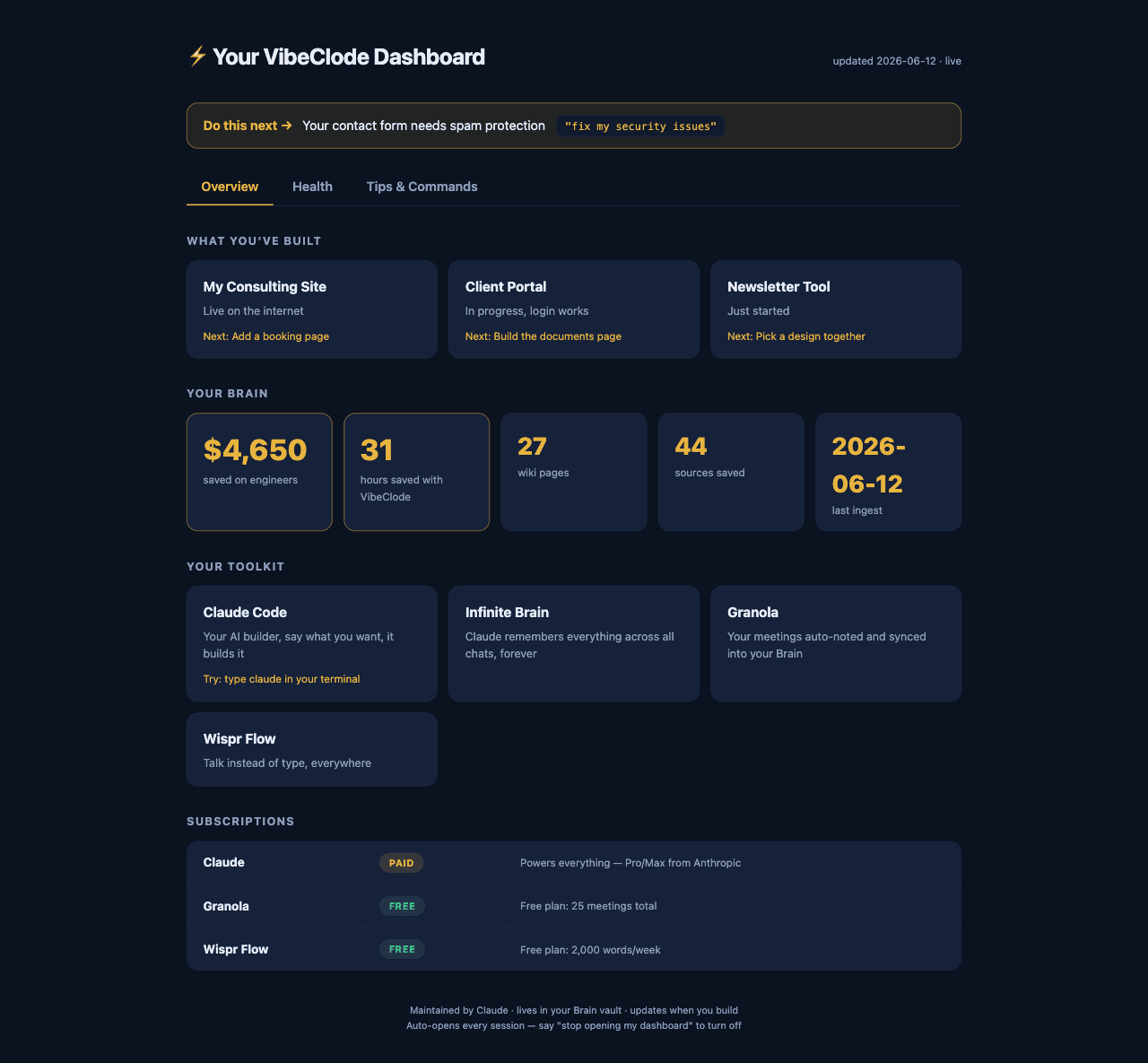
See everything you've built
Every project, its status, and what to do next. No more wondering where you left off.
Watch your savings grow
Hours saved and what they're worth in engineering dollars, updated live as you build.
Stay safe without being an expert
A 50-point security checkup in plain English, with fixes one sentence away.
Always know your next move
The dashboard points at the one thing worth doing next, so you're guided, never lost.
Lives entirely on your computer. Nothing is uploaded anywhere.
Save days. Build today.
One payment. Skip the setup. No subscriptions, no hidden fees , just hours of your life, given back.
Basic
Save hours of setup, done in 5 minutes
- Saves you 1+ day of setup time
- Fully automated install, nothing to configure yourself
- AI coding assistant installed and ready to use
- Essential settings configured for you
- Core features turned on and working
+ everything in the matrix below
1 device activation
Essentials
Save days of work, everything ready at once
- 📞 Personal 15-minute 1-on-1 call with the founder, save it for a rainy day: talk AI, get build help, or just ask anything
- Saves you 3+ days of setup and configuration
- 🎙️ Granola installed and connected, your meetings auto-noted by AI (free plan included; upgrades sold separately by Granola)
- 🗣️ Wispr Flow installed and connected, talk instead of type (free plan included; upgrades sold separately by Wispr)
- Faster setup, everything installs at the same time
+ everything in the matrix below
1 device activation
Pro
Save weeks, infinite context via your personal AI brain
- 📞 Personal 30-minute 1-on-1 call with the founder, use it whenever you need it: talk AI, get help building, fix your setup, or anything else
- ✨ Infinite Context across all chats, your personal Obsidian brain that Claude reads every session
- 📊 Personal savings dashboard, hours and dollars saved, projects built, all live on your machine
- 🛡️ 50-point security checkup, Claude sweeps your apps for the most common vulnerabilities in AI-built software, in plain English, with one-command fixes
- 📧 Weekly progress email, what you built and what you saved, every Monday
+ everything in the matrix below
1 device activation
What each plan packs
| Capability | Basic | Essentials | Pro |
|---|---|---|---|
| Claude Code install & setup | Core setup | Everything at once | Everything + verified |
| AI skills & capabilities | Essentials | All skills | 100+ capabilities |
| Starter project & templates | Not included | First project built | Multiple templates |
| Meetings & voice (Granola + Wispr) | Not included | Both installed | Both + brain sync |
| Infinite memory brain | Not included | Not included | Remembers everything |
| Savings dashboard + weekly email | Not included | Not included | Hours + $ tracked |
| 50-point security checkup | Not included | Not included | Plain-English sweeps |
| Design quality | Not included | Pro design built in | Official best practices |
| Personal 1-on-1 call with the founder | Not included | 15 min, use it anytime | 30 min, your rainy-day card |
| Members-only Discord | Member access | Member access | Member + priority help |
| Support | Guide | Guide + tutorials | Direct team access + priority |
core full full + premium
Requires a Claude subscription ($20/mo from Anthropic), VibeClode configures everything on top of it.
We do the AI homework. You stay ahead.
The AI space moves every week. Pro members get the tools, workflows, and answers that actually matter, delivered. No scrolling. No FOMO.
Weekly research drop
Every Sunday. The 3 things in AI worth your time this week, written for non-engineers. Tested by us first.
- New AI tools tested before you hear about them
- Step-by-step setups for the workflows that actually work
- Cuts the X / Reddit / YouTube doomscroll out of your week
- Read it in 4 minutes. Save 4 hours.
Average reader saves 4+ hours/week of research.
Members-only Discord
Stuck on a prompt? Tool not working? Drop a question. Get a real answer the same day, from people who've already shipped it.
- Live answers from real members and the founder
- First look at new templates, skills, and stacks
- Pro members get priority replies (within hours, not days)
- Quiet, no-spam channel. Just builders.
Founder is in there every day. Yes, really.
One-time payment. Includes everything above for life.
Build with like-minded builders
You're not the only non-technical person figuring this out. The Discord is full of people who didn't know what a terminal was a month ago, now shipping every week.
Marketing Director
building automated weekly reports
Real Estate Broker
building AI-written listings + market briefs
Startup Founder
building MVP without hiring devs
Finance Analyst
building custom DCF + research dashboards
Brand Designer
building client decks in half the time
Consultant
building research workflows that scale
Ask anything. Get a real answer.
Stuck on a prompt? Need a tool recommendation? Drop a question, get a same-day answer from people who've already shipped it. Founder lurks daily.
Join the DiscordIncluded with every VibeClode plan.
Frequently asked questions
Everything you need to know before getting started.